Private Label Packaging Artwork Checklist: 12 Files to Send Your Oral Care OEM
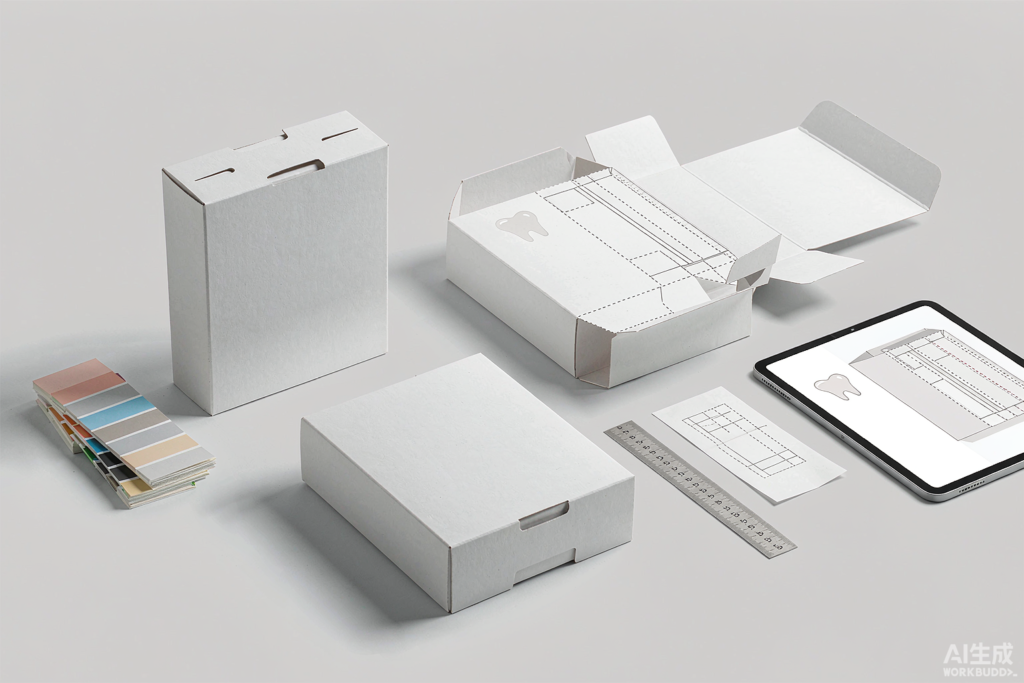
Why Artwork — Not Design — Is What Delays Your Launch
Most first-time importers assume packaging is finished once the designer sends a good-looking mockup. On the factory floor, a mockup is not a buildable file. Your OEM needs a print-ready artwork package: a dieline that matches the actual carton tooling, vector artwork, defined spot colors, and a barcode that still scans at the size you intend to print.
When those files arrive incomplete, everything stops — plates cannot be made, tooling cannot be booked, and your slot in the production queue moves back. Missing artwork costs a first order more days than moulding or assembly, and unlike a production delay it is entirely within your control.
Before you commission a dieline, confirm which formats your OEM actually runs — a folding carton artwork will not fit a blister card or kraft sleeve. Our comparison of private label oral care packaging options covers the trade-offs.
The 12-File Private Label Packaging Artwork Checklist
Send these as one zipped folder named by SKU and revision number:
- Dieline (AI or DXF) — issued by the packaging converter, with cut, crease and bleed lines on separate layers.
- Print-ready artwork (AI, PDF or EPS) — all fonts converted to paths.
- Vector logo in EPS or SVG, plus a 300 dpi raster version for reference.
- Color references — Pantone codes for brand colors, with CMYK values as fallback.
- Barcode — a GTIN registered to your company, supplied as vector, quiet zone intact.
- Regulatory copy — ingredient list, net contents, country of origin and importer address in the destination language.
- Batch code and PAO placement marked directly on the dieline; see our guide to shelf life, PAO and batch codes.
- Claims substantiation list — every marketing claim on the face panel paired with the document that supports it.
- Warnings and symbols for your destination market, kept clear of the bleed area.
- Finishes marked — matte or gloss lamination, spot UV, foil, embossing, each on its own layer.
- Barcode placement guide with the exact panel and orientation.
- Signed approval sheet — your name, date and revision number.
Name every file SKU_Rev02_Description. Factories work from filenames, and version confusion is the single most common reason the wrong revision reaches the press.
Spec Errors That Trigger Reprints
| What goes wrong | What to specify instead |
|---|---|
| RGB artwork sent to press | CMYK values plus Pantone spot colors |
| Fonts left live | Convert all type to paths |
| Barcode resized until it fails to scan | Lock size and quiet zone, then test-scan a proof |
| Critical text sitting in the bleed | Keep text well clear of the trim edge |
| Colour approved on screen | Approve on a physical proof under agreed lighting |
Treat the printed proof as a formal gate, not a courtesy. It belongs in the same workflow as your golden sample and PP sample — nothing goes to press until both are signed off in writing.
Where Artwork Meets QC
Packaging belongs in your inspection scope, not as an afterthought. Add print registration, color consistency and barcode scan rate to your pre-shipment checks alongside the product itself. Our AQL levels and defect classes guide shows how to write these in so a printer error becomes a measurable defect, not a subjective complaint.
FAQ
How early should artwork reach my OEM?
Before the deposit if you can. Artwork approval sits on the critical path with tooling and printing plates, so sending it early is the cheapest schedule insurance available to you.
Can my designer’s mockup be used as the dieline?
No. A mockup is a visual reference. The dieline is a technical file that must come from the packaging converter and match the tooling they will actually cut with.
Who owns the dieline and the printing plates?
Ask before you pay. Ownership varies by factory, and clarity here protects you if you ever move production. Raise it in the same conversation as tooling ownership in your OEM contract.
Can I reuse one artwork file across several SKUs?
You can reuse the layout, but every SKU needs its own barcode, net contents and regulatory copy. Budget an adaptation fee per variant and confirm it in the quote.
Get Your Artwork Reviewed Before You Quote
Send us your dieline and artwork folder and we will flag print risks, scan-rate problems and missing regulatory copy before tooling is booked. Start with our OEM service overview, or browse ready-to-ship stock if you need inventory faster than a custom print run allows.
Email sales@lmsoral.com or WhatsApp +86 17703320885 — include your SKU list, target market and destination port, and we will come back with a quote and a print-risk note.
Interested in sourcing oral care products?
Contact us for a free consultation and quote.
Contact Us →